An AI assistant for workplace audit readiness


The Story
For Safety managers, preparing for an audit or inspection is usually stressful and time-consuming. They have to go searching for documents, verify incident logs, and piece together what happened if things weren't documented perfectly from the beginning.
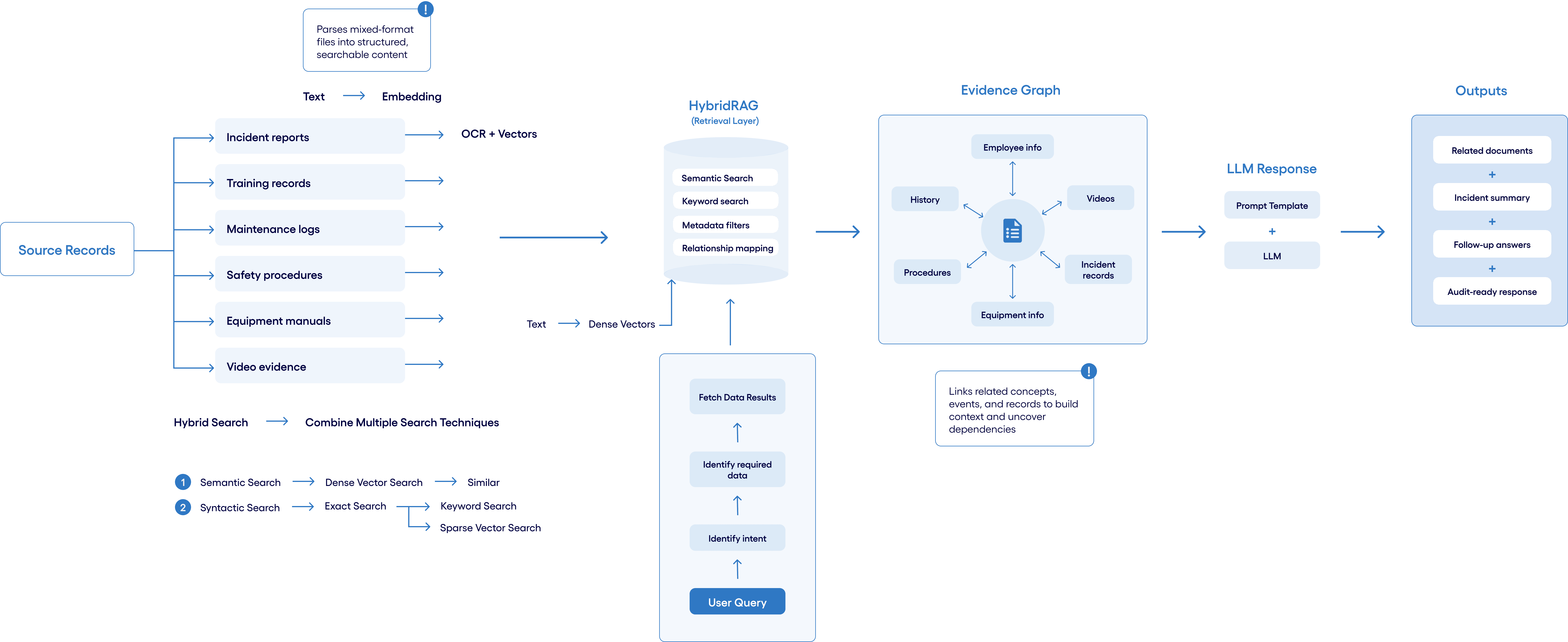
By leveraging generative AI, we wanted to build a product that could instantly parse through their dense documentation and logged data, pulling up the exact information and specific details needed to be audit-ready on demand.


AI Interaction Patterns
Designing with AI patterns users already understand

Initial CTA
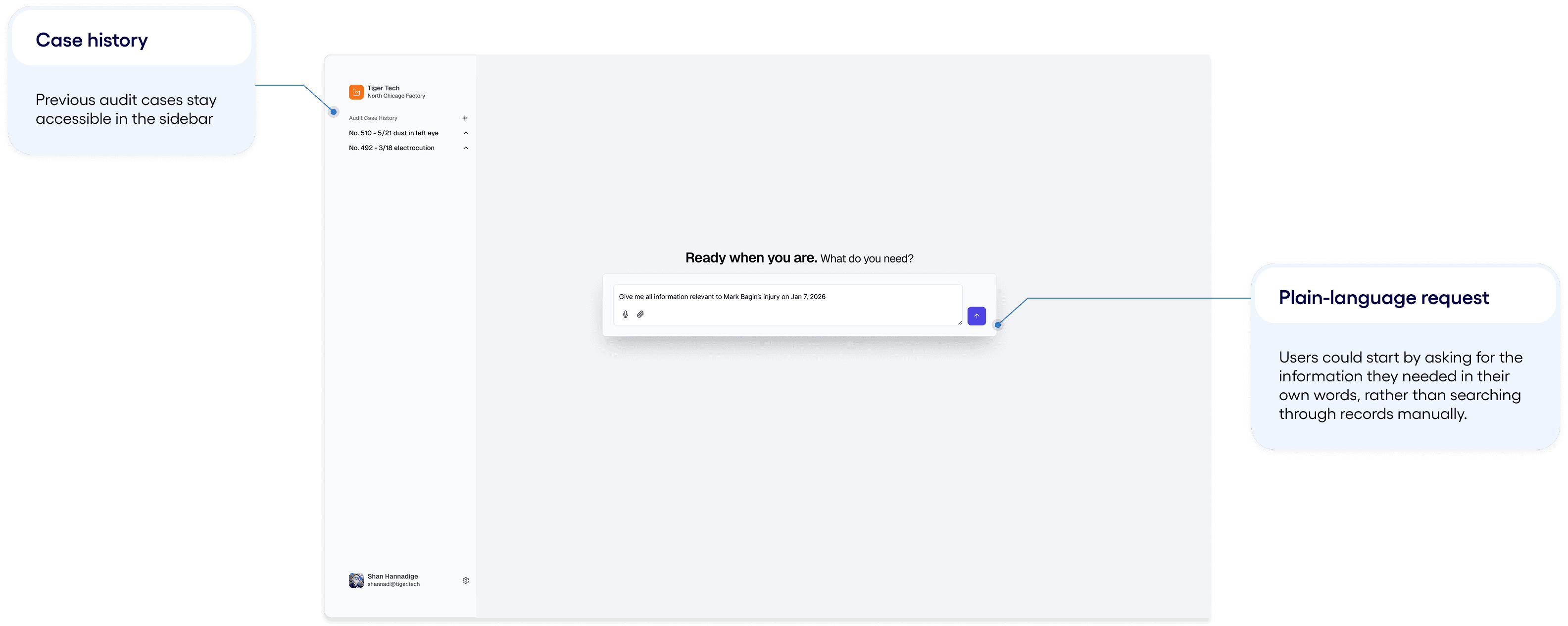
We used a Direct Input box as the initial CTA, and the user could keep the prompt simple because the AI already had access to the relevant documents and evidence.

Inline follow-up
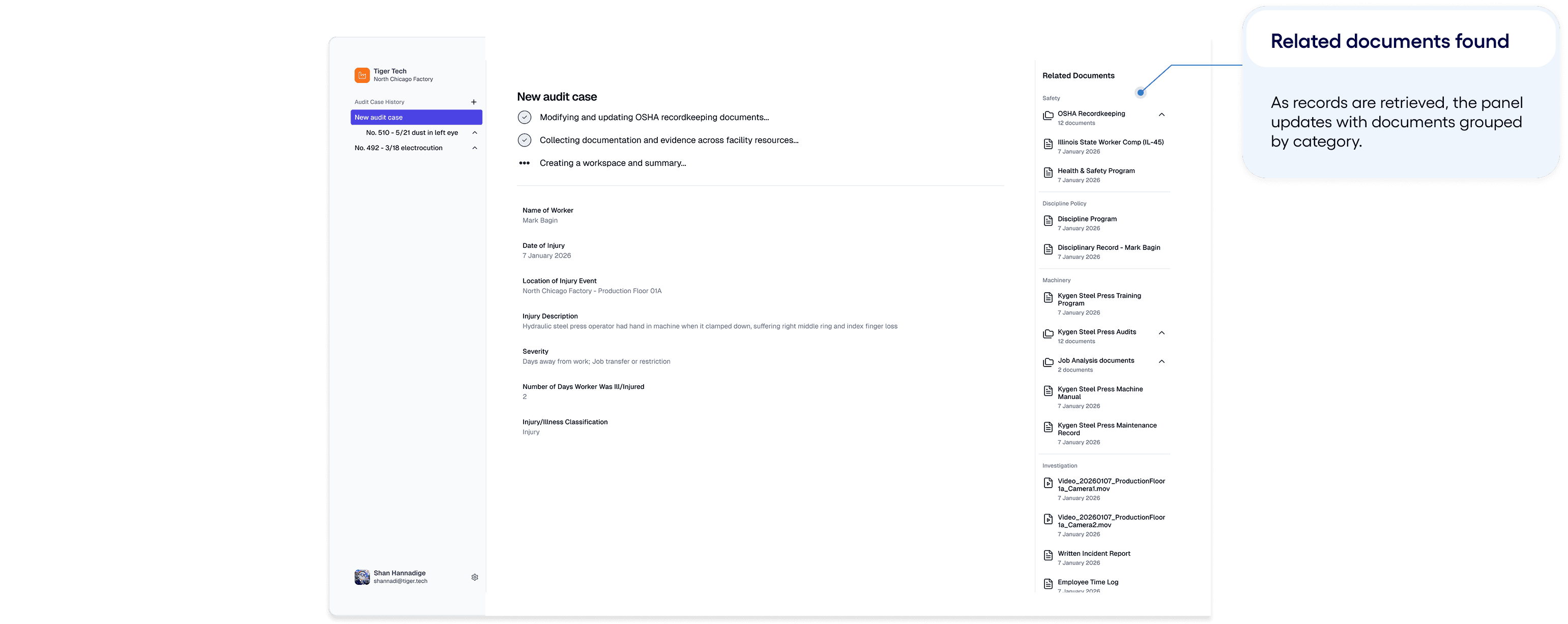
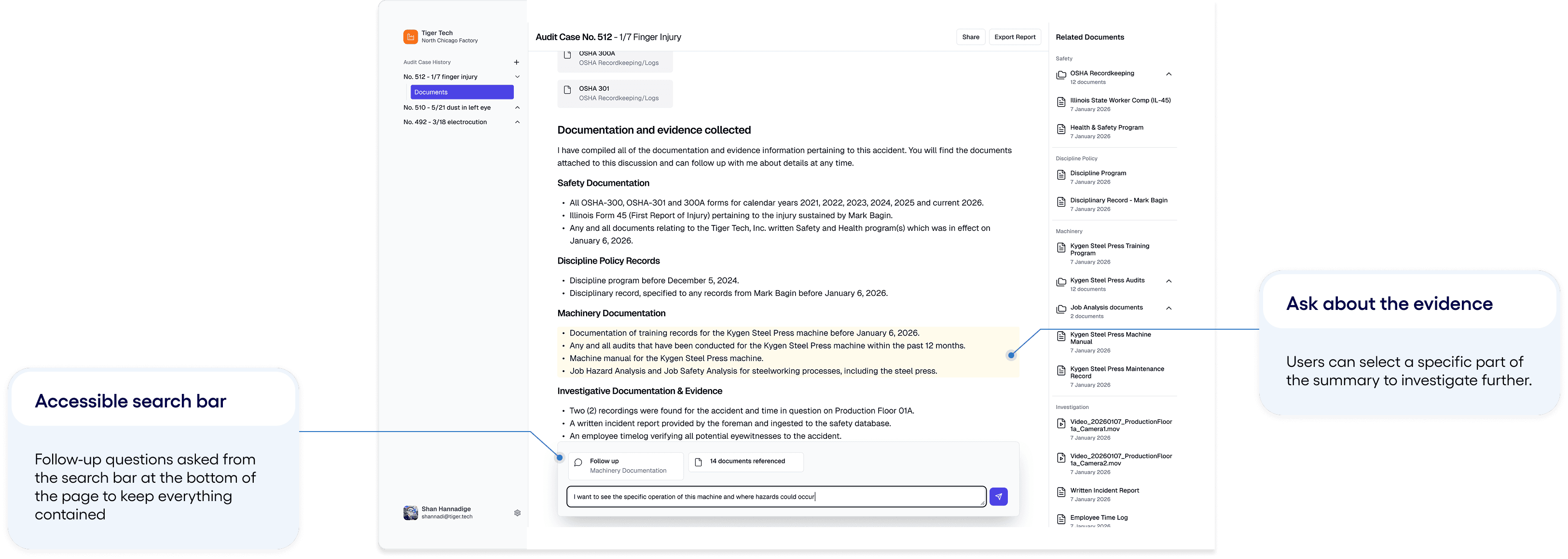
Users could highlight part of the response and ask a follow-up question directly from that selection, keeping the next prompt tied to the evidence they were reviewing.

References (via RAG)
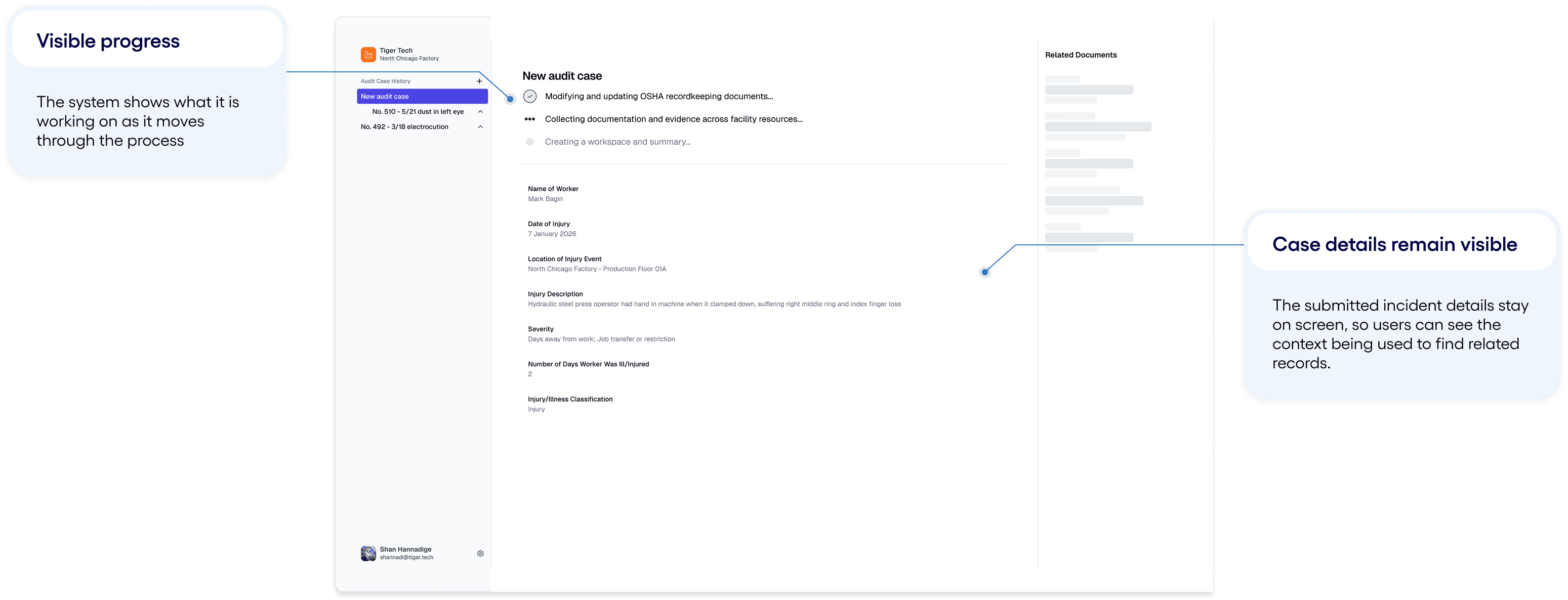
Related documents stayed visible beside the response, so users could see which records supported the AI output and open source material when they needed to verify it.

1
Direct input CTA
The landing screen uses a familiar direct input pattern, letting users type what they need for the audit.
2
Left case sidebar
The case history stays visible in the sidebar, so users can access previous audit work and specific sections of the current case.
Initial interaction
A familiar starting point lowers the barrier to entry
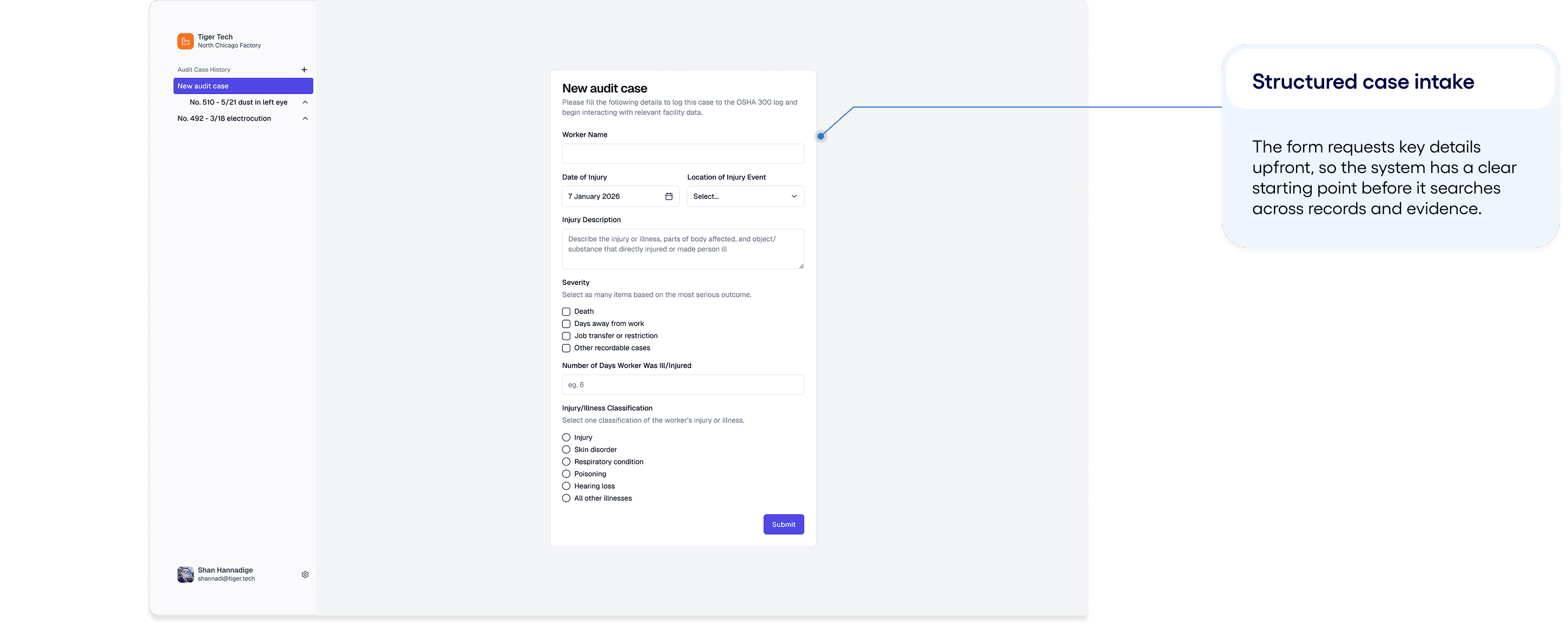
The safety manager enters the information they are trying to gather, and the system begins finding the records and evidence that could support it. The direct input CTA lowers the barrier to entry, and shows off the product’s flexibility and capabilities.


Step 5
Asking follow-up questions
Any area can be investigated further by asking a more specific question within the same workspace, with follow-up questions building on what has already been found, rather than sending the user back to a new search.
Step 6
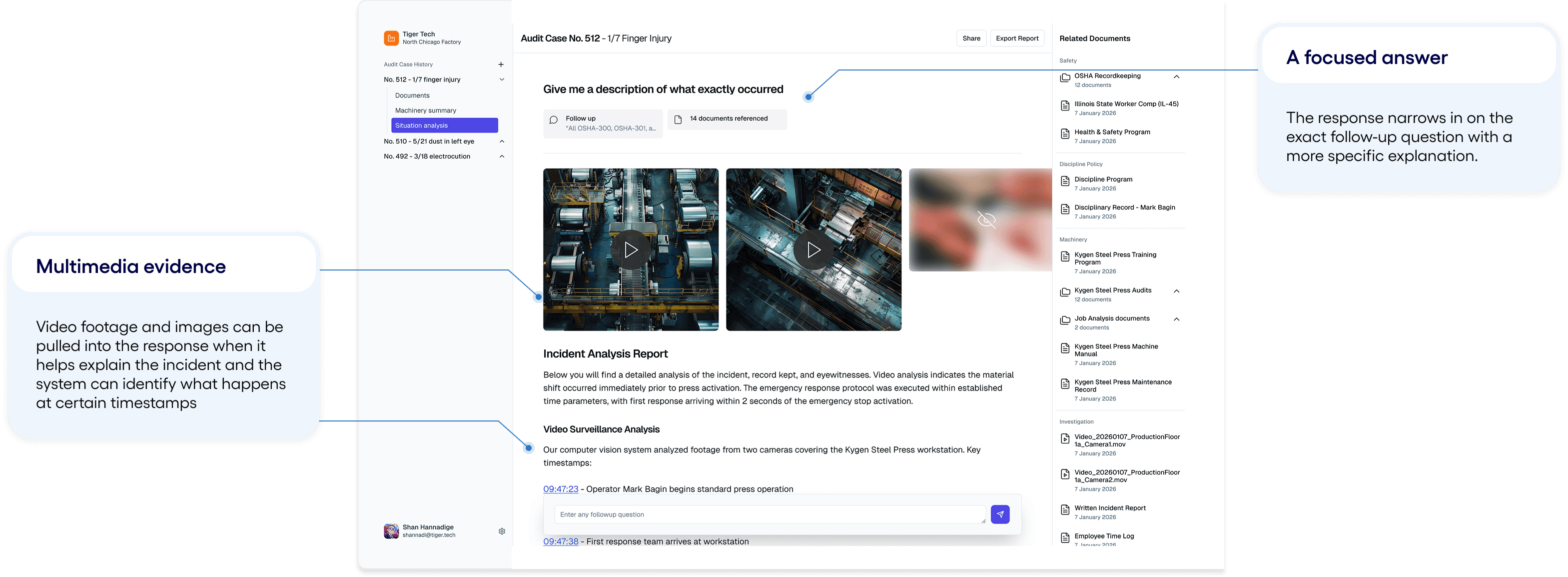
Digging deeper into specific evidence
Once a follow-up question is submitted, the AI re-parses the relevant documents and provides a more focused summary, with the available evidence presented upfront.
Reflection
Turning the AI model into a usable review flow
This project reinforced in me that AI is most useful when it has a clear role within the workflow. In this case, it acted as a task-specific assistant, helping safety managers gather, connect, and summarise evidence without taking over the final judgement.
That distinction mattered because audit work depends on trust. The AI could reduce the manual effort of searching through records, but the safety manager still needed to understand where the information came from, whether it was relevant, and what was appropriate to share. Designing it as support, rather than as the decision-maker, made the experience feel more useful and more accountable.
Future Considerations
Source confidence
Show why a record was retrieved and how strongly it supports the answer.
State missing evidence
Make it clear when the system cannot find enough information.